Live word cloud
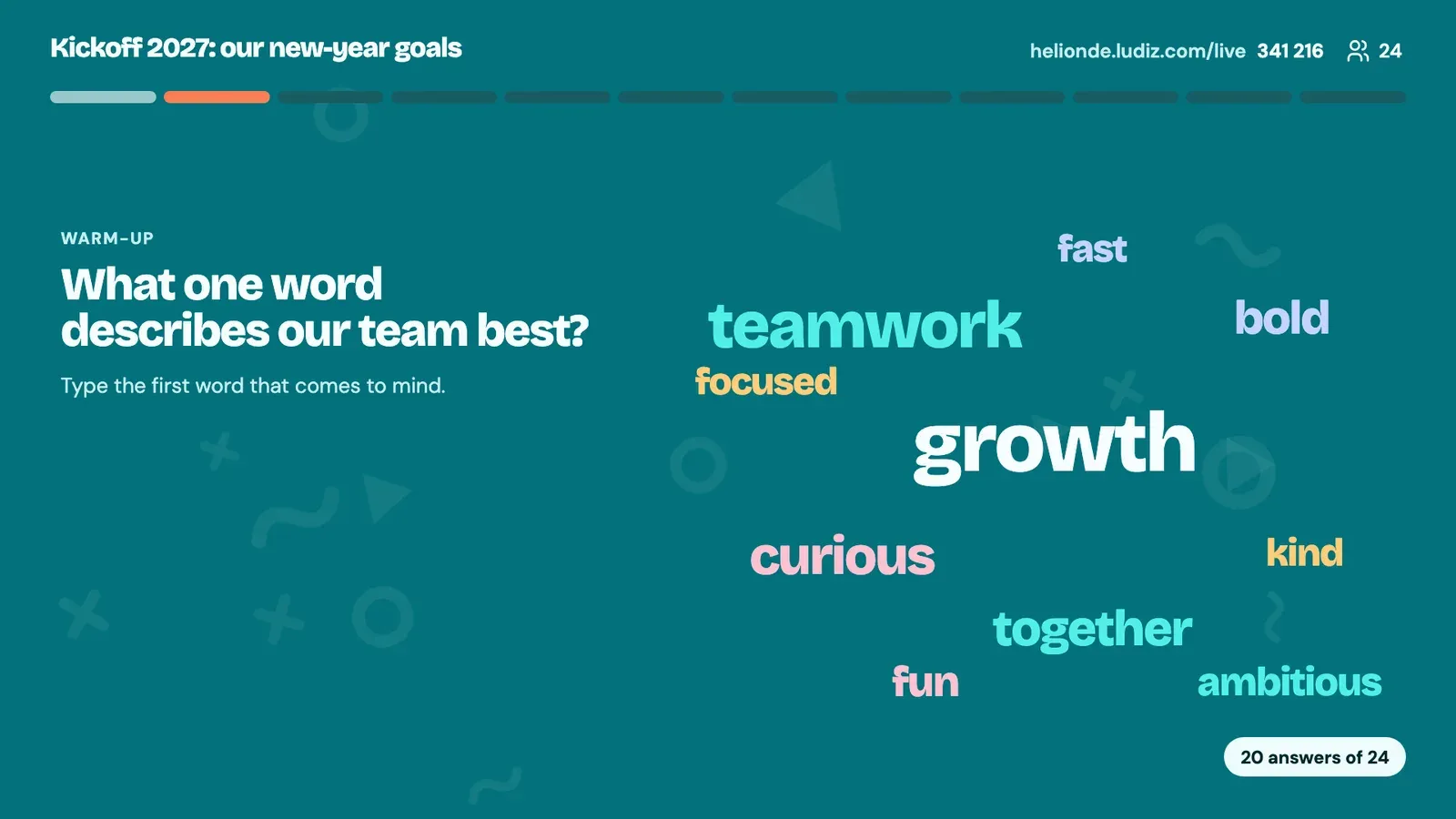
Everyone types a word on their phone, the most given words grow on screen. The simplest way to get a room talking.
How it works
- 1
You ask an open question: "In one word, our team is…?"
- 2
Players type their word on their phone, with the game's code.
- 3
The cloud builds live on the projected screen: words given by several players grow.
What it is for
Open an event
Take the room's temperature in the first minutes.
Close a training session
"One word to sum up today": the cloud speaks for itself.
Start a workshop
Bring ideas out before sorting them together.
Frequently asked questions
How do I make a live word cloud?
Add a Word cloud screen to your live game (or ask the assistant), ask your question, then start the game: players join with the code and type their word.
Are answers anonymous?
The cloud shows the words, not who typed them, and a single player's answer is never shown on its own.
Can I mix the word cloud with questions?
Yes. A live game chains formats: a word cloud to open, questions, a poll, then the podium.
The other live formats
Get your next meeting reacting.
Create a live game